
Powering Your Business
Powering Your Business
PDU Manager
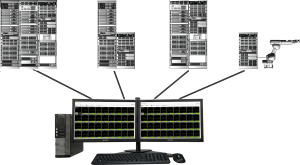
PDU Manager is a management software developed for Sendef Power Distribution Units and Power Supplies. It is possible to manage one or more PDUs and Power Supplies from a single computer. In this way, combined and fully automatic power management and control becomes possible.
Full Power Automation with PDU Manager

PDU Manager records the current and voltage measurement information of each channel in all units registered to it, 3 times per second. In this way, users can make power planning by recording and observing the long-term current profiles of the devices fed through these channels.
Thanks to 4-level, nested on and off scenarios, the user can program in real time in what order and when to turn on and off each connected device. Each scenario can be run in a separate window. In this way, power usage of different areas can be monitored on one or more screens, if desired.
PDU Manager offers two levels of access. Users with administrative authority can introduce and delete new Power Distribution Units and Power Supplies to the system, create new scenarios and perform all other operational operations. Operators can turn on and off channels in connected units, run scenarios created by the administrator, and view measurement records.
Units and channels can be assigned names in the software. Additionally, there are also description fields on the Configuration Window, to enter more detail. Monitoring the units fed by Sendef Power Distribution Units and Power Supplies in this way provides additional ease of operation.
Control Window
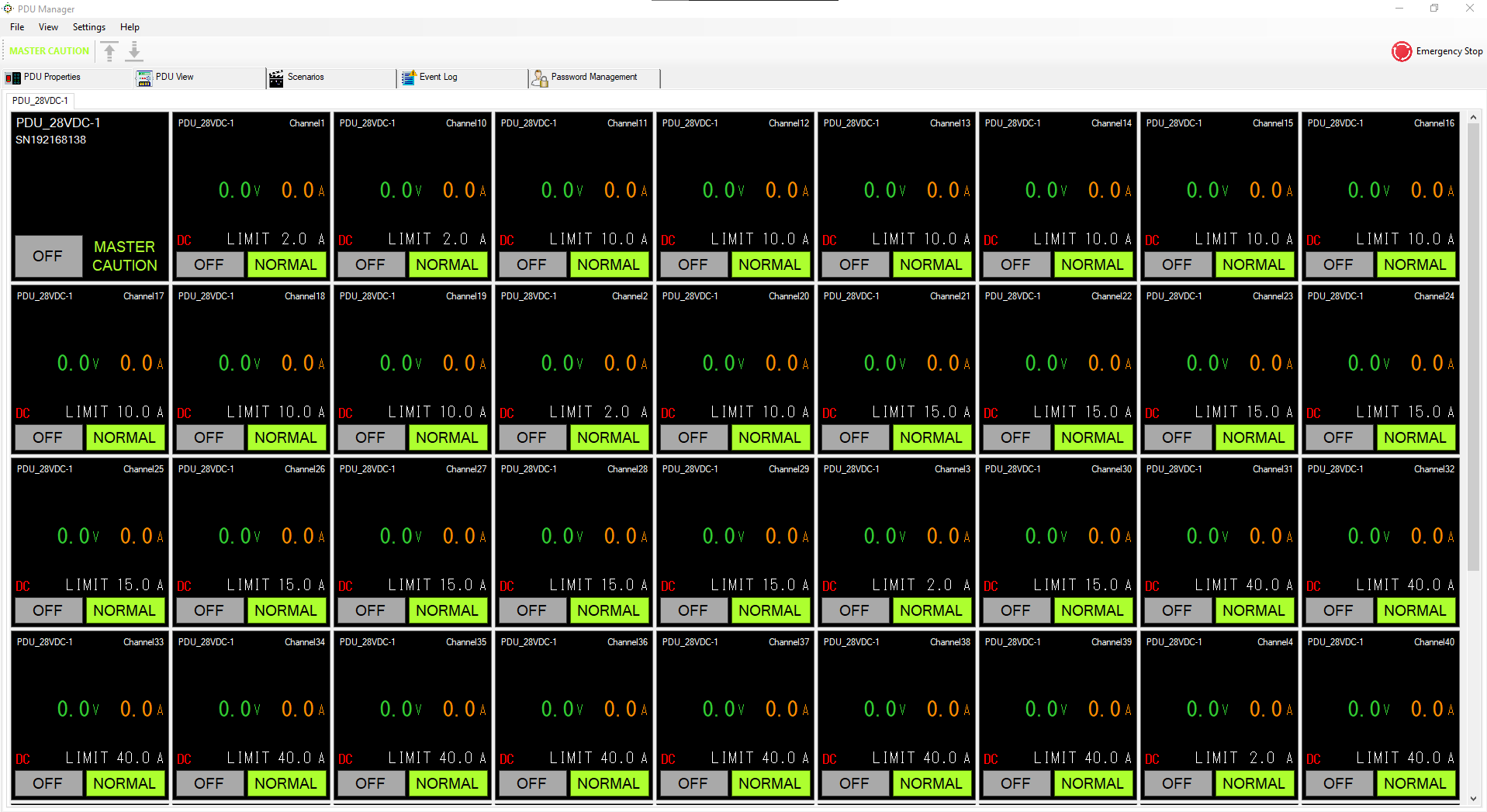
It is possible to continuously monitor all desired output channels on this window, which can be created separately for each scenario. In addition to current and voltage measurements, the PDU/PS name, the channel name given by the user, and the channel limit values are displayed instantly. Units can be reset one by one via this screen, or all channels on all units defined in the software can be interrupted at the same time via the "Emergency Stop" soft button in the upper right corner.
Configuration Window
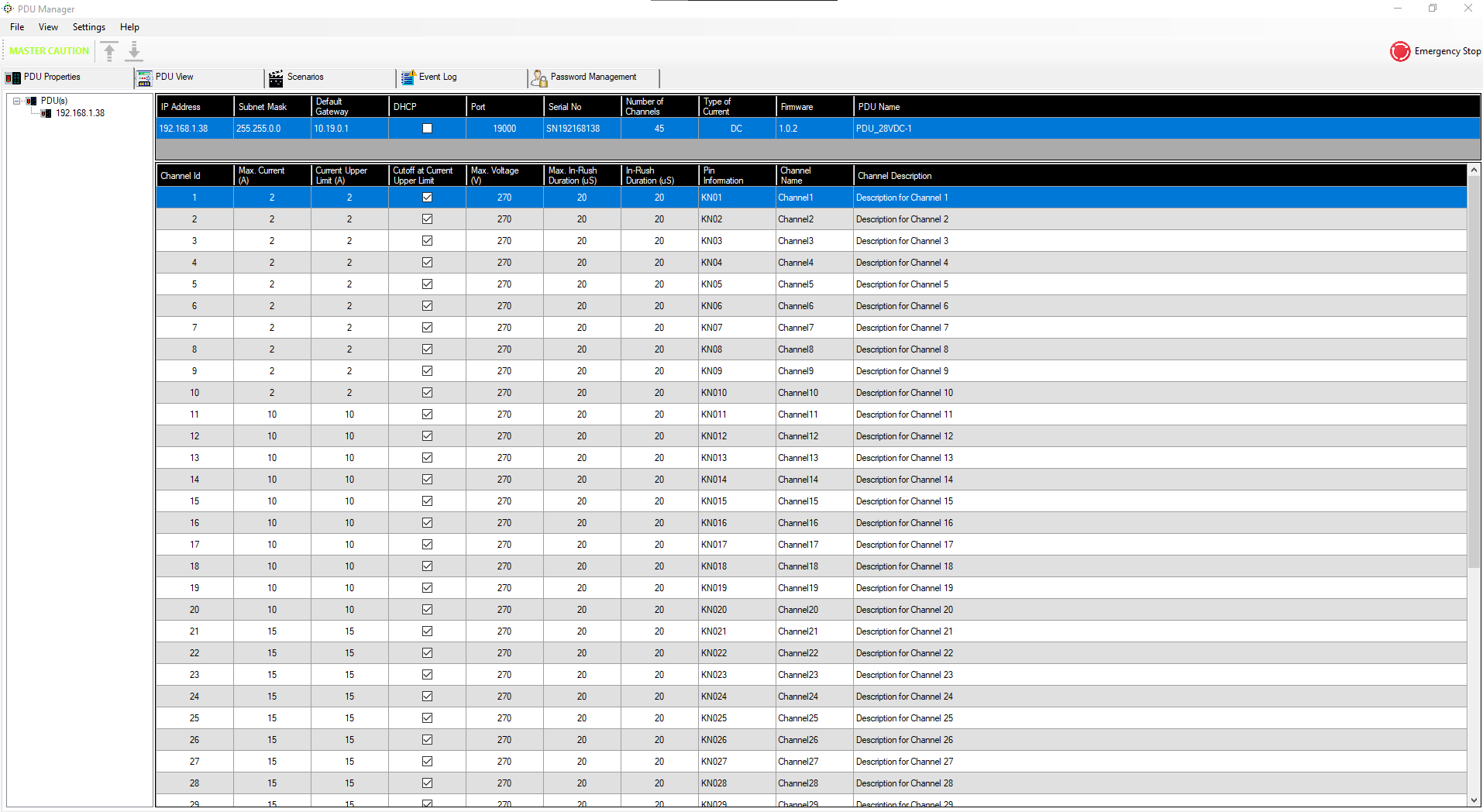
This is the screen where new units are added and removed, names are given to units/channels, descriptions for each channel, limit values and the action to be shown when the limit is reached are defined.
Scenario Management Window

On-off scenarios are defined on the scenario management window. Scenarios can be defined in 4 levels. In other words, any scenario may contain other scenarios as sub-scenarios. A previously defined on/off scenario for any channel of any unit can be included under the same scenario. The user can energize the units to be included in the automation in any order he wishes by classifying them as units, racks, clusters, etc.
Measurements Log Window
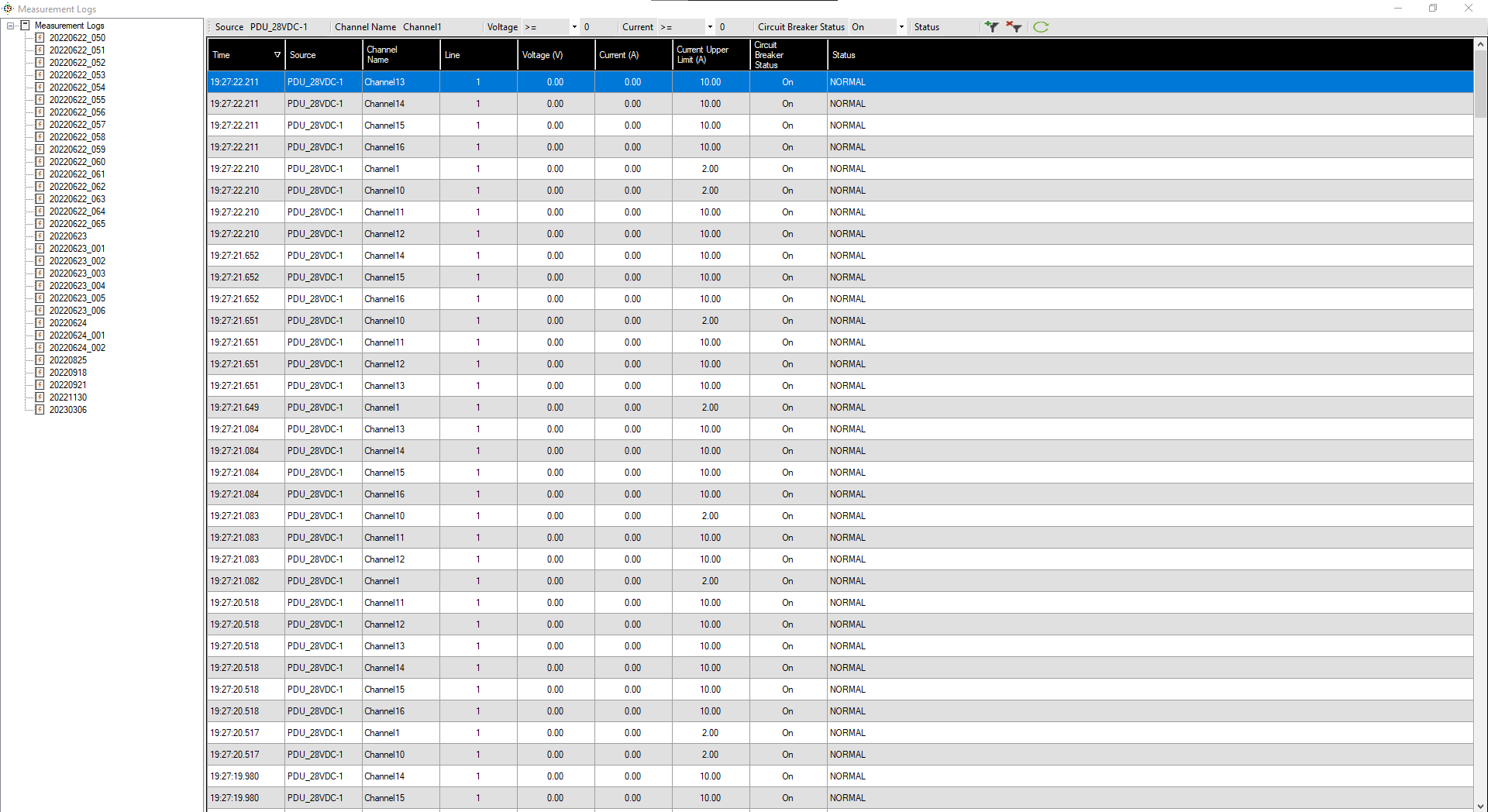
PDU Manager takes current and voltage measurements on a channel basis from the units defined to it, 3 times per second, and saves them to its local disk. In this way, users can have information about the power characteristics of their own units. Additionally, in case of an anomaly, retrospective analysis can be made through these log files. In both test systems and automation environments, this data always offers important opportunities to the user in planning and solving problems.